How Loot Works
Splitting bills with friends takes five simple steps — all inside iMessage. No new apps to download, no accounts to create.
Step 1: Open iMessage
Tap the Loot icon in your iMessage app drawer. Loot appears automatically once installed — no setup needed. Your friends don't need to do anything in advance. They'll interact with the split directly inside the chat message.
Step 2: Scan a Receipt
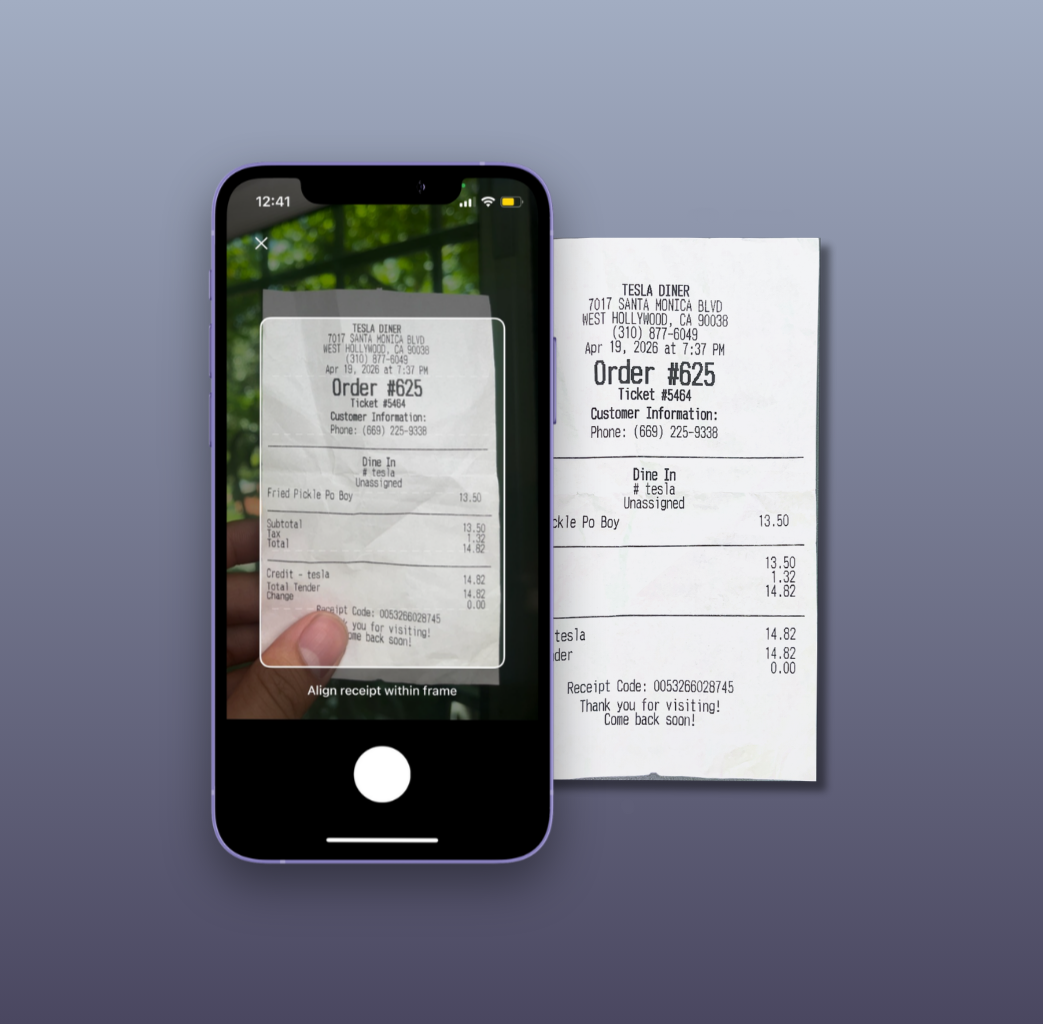
Point your camera at any printed or digital receipt. Loot's OCR technology reads every line item, quantity, price, tax, and tip. No manual entry required. You can edit any item if the scan misses something, then send the split to the group.
Step 3: Assign Items
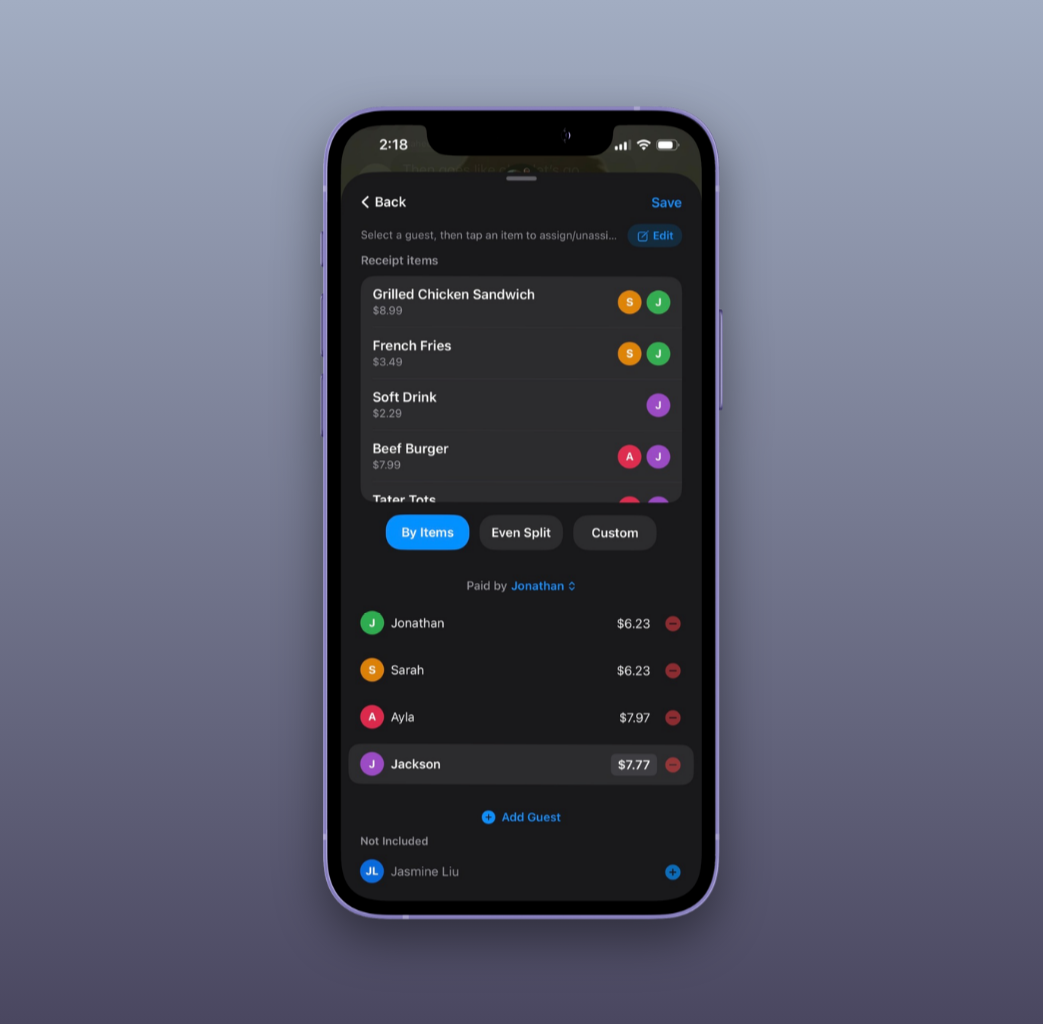
A message bubble appears in the group chat showing the full receipt. Each friend taps the items they ordered. Shared items — like a bottle of wine or an appetizer — can be assigned to multiple people and split proportionally. Everyone sees the live breakdown update as people claim their items.
Step 4: Track Balances
After each split, Loot updates the running balance for each person in the group. Instead of settling after every meal, balances accumulate. You can see exactly who owes what at any time — no mental math, no spreadsheet.
Step 5: Settle Payments
When you're ready to settle, tap once to pay via apps like Apple Pay, Zelle, or Venmo. Loot calculates the minimum number of transfers needed so no one has to make multiple payments. The entire process from scan to settlement takes under 30 seconds.
Why iMessage?
The biggest problem with existing bill splitting apps is that they require everyone to download and install them. In a group of five, you almost always have at least one person who refuses to download a new app — and that one person breaks the whole system.
iMessage is already installed on every iPhone. When you start a Loot split in a group chat, your friends can see the receipt, tap their items, and confirm their share without ever leaving the conversation. No account creation, no app store visit, no friction.
For the person initiating the split, the experience is just as fast. Scan the receipt, review the items Loot extracted automatically, and send. The entire process takes under 30 seconds. Loot then tracks the running balance in that conversation, so when the next dinner or trip comes up, everything is already organized.